To prevent double bookings, you need a single system of record that all booking channels update in real-time. Restaurants that consolidate their reservation management eliminate double bookings entirely; those running fragmented systems face recurring conflicts and guest recovery situations.
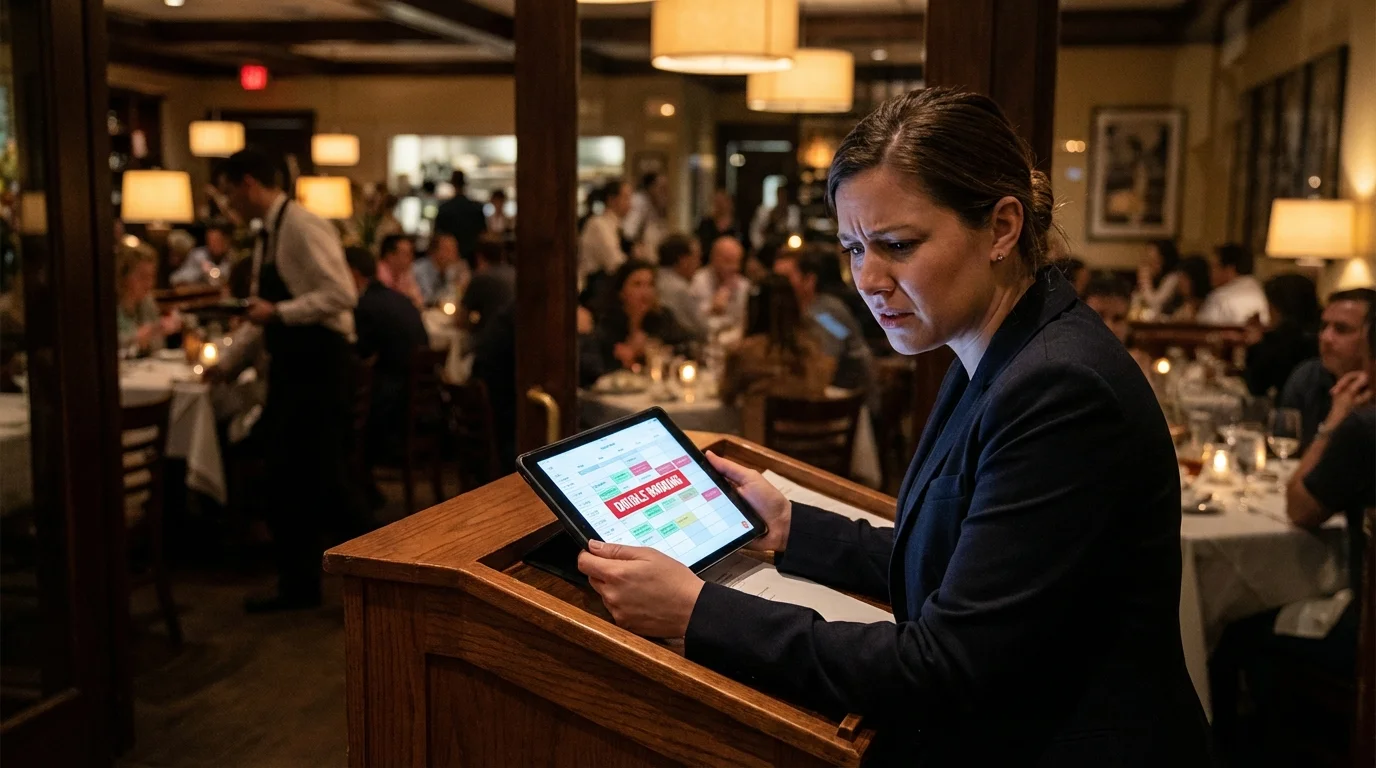
Two parties arriving at 7pm for the same table. Both have confirmation emails. One is going to have a terrible start to their evening, and they’ll remember it forever. Double bookings are entirely preventable, yet they happen regularly in restaurants running fragmented reservation systems.
Key takeaways
- Main solution: Single reservation system + real-time channel sync + immediate data entry
- Expected result: Zero double bookings
- Time to implement: 1-2 weeks for system consolidation
- Cost: May require system upgrade; prevents significant recovery costs
Before you start
Understanding your current setup is the first step to preventing double bookings.
What you’ll need:
- Map of all booking channels (website, phone, platforms, walk-ins)
- Access to all reservation systems in use
- Authority to consolidate systems
- Staff buy-in for process changes
Audit questions:
- Do all reservation channels sync to one system?
- Can staff take phone reservations with live availability visible?
- Are reservations entered during the call or after?
- Do you have alerts for integration failures?
- When was your last double booking, and did you fix the root cause?
If any answer is “no” or “I don’t know,” you have work to do.
Step 1: Establish a single source of truth
Every reservation, regardless of source, must live in one system. This is non-negotiable for preventing double bookings.
What to do:
- Choose one primary reservation system
- Ensure all online channels integrate to that system
- Eliminate parallel paper books or backup systems
- Train all staff to use the single system
Single source requirements:
- All online channels integrate bidirectionally
- Phone and walk-in reservations entered immediately
- No paper backup books running in parallel
- All staff have access to view live availability
If you use multiple platforms: One must be the master record. The others sync to it, not to each other. If platforms can’t integrate, someone must manually update the master immediately after any external booking.
Step 2: Ensure real-time availability everywhere
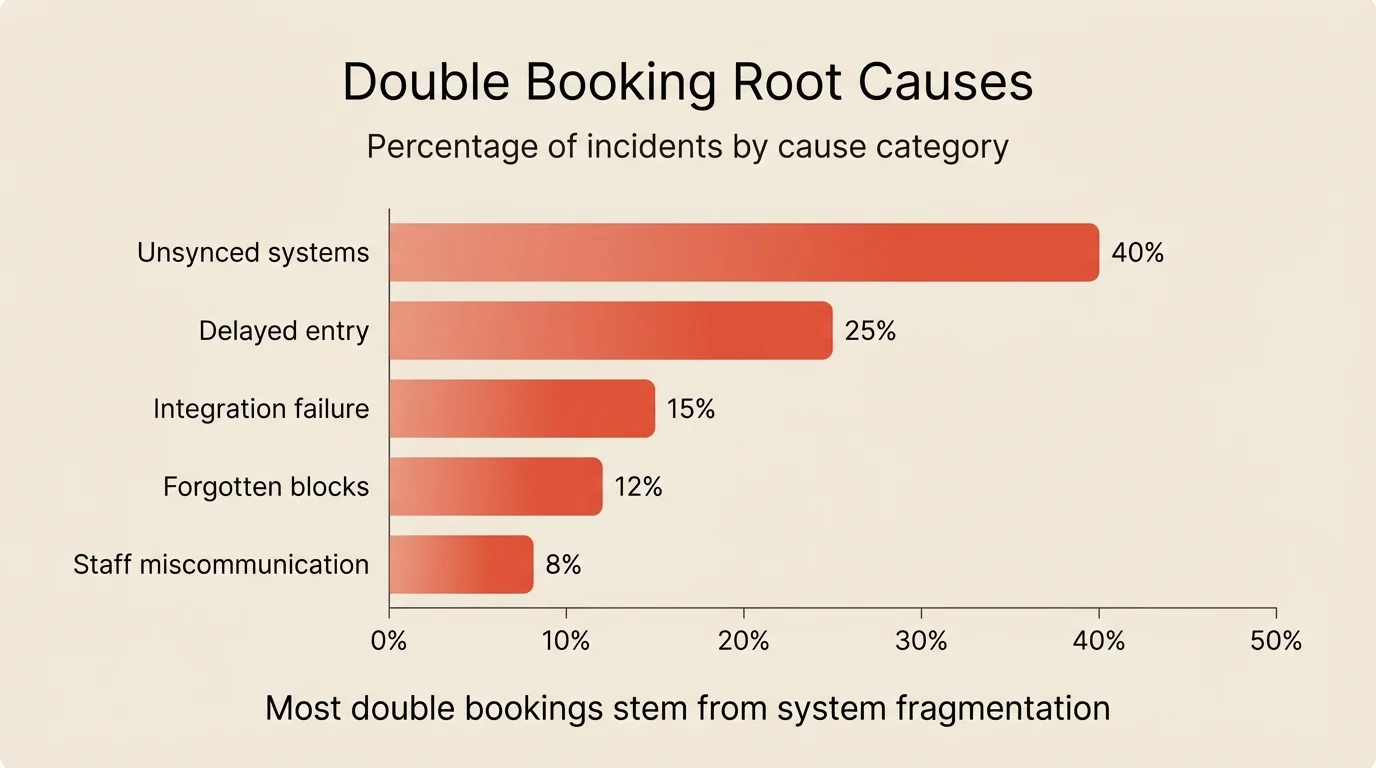
Anyone taking a reservation must see live availability. Stale data is the root of most double bookings.
What to do:
- Place tablets at host stand showing current availability
- Ensure phone staff have system access
- Verify third-party platforms sync within seconds
- Test sync speed regularly
Availability visibility checklist:
- Host stand has live system access
- Phone stations have live system access
- Third-party platforms show accurate inventory
- Blocked times and tables are immediately visible
Test your sync: Make a booking on one channel. Check other channels within 30 seconds. If availability doesn’t update immediately, you have a sync problem.
Step 3: Create an instant entry protocol
No reservation is complete until it’s in the system. Delayed entry is the second most common cause of double bookings.
What to do:
- Enter reservations during the call, not after
- Confirm details by reading them back
- Send confirmation immediately, not batched later
- Never rely on paper notes for later entry
During the call:
- Open the system before taking details
- Enter date, time, party size as guest states them
- Read back: “That’s Tuesday the 14th at 7pm for 4 people”
- Guest confirms
- Booking is saved before hanging up
What to avoid:
- Writing on paper to enter later
- “I’ll put this in after the rush”
- Relying on memory for any details
- Entering reservations in batches at end of shift
Step 4: Monitor your integrations
Even connected systems fail. API syncs can lag, connections can break, and platforms can go down.
What to do:
- Set up alerts for sync failures
- Check integration status daily
- Have a manual backup process
- Know how to handle bookings when integrations are down
Daily integration check:
- Verify last sync time for each platform
- Confirm no pending or failed syncs
- Test with a quick booking if anything looks off
When integrations fail:
- Pause online booking on affected platform if possible
- Note any bookings made during outage
- Manually enter into master system immediately
- Verify sync resumes before re-enabling
Alerts to configure:
- Sync failure notifications
- Inventory mismatch warnings
- Platform connection drops
- Unusual booking patterns
Step 5: Manage blocks and holds properly
Tables held for VIPs, walk-in buffer, or private events can be forgotten or miscommunicated.
What to do:
- Block tables in the system, not just verbally
- Add clear notes explaining why tables are blocked
- Set expiration times on temporary holds
- Review blocks at the start of each shift
Block management:
- Every hold must be in the system
- Include reason: “VIP request,” “Event buyout,” “Walk-in buffer”
- Set automatic release time for temporary holds
- Review and clear outdated blocks regularly
Common block mistakes:
- Verbal holds not entered in system
- Expired holds not cleared
- Staff unaware of blocks when taking phone reservations
- Event buyouts not properly blocking inventory
Step 6: Train staff on prevention protocols
Systems prevent double bookings. People make systems work.
What to do:
- Train every reservation-taking staff member
- Explain the why, not just the what
- Practice the entry protocol
- Include recovery training
Training elements:
- Why double bookings happen (share real examples)
- How to use the system correctly
- Entry protocol during calls
- What to do if you suspect a conflict
- How to handle recovery if it happens
Practice scenarios:
- Phone reservation during busy service
- Walk-in requesting future date booking
- Guest changing existing reservation
- Platform booking while system is updating
Regular refreshers:
- Include in new hire onboarding
- Pre-shift reminders during high-volume periods
- Post-incident review when double bookings occur
Step 7: Create a recovery protocol
Despite best efforts, a double booking may happen. How you handle it determines whether you lose a guest forever.
What to do:
- Acknowledge immediately and honestly
- Offer solutions, not excuses
- Compensate meaningfully
- Document and fix the root cause
Step 1: Acknowledge immediately “I’m so sorry, we have a reservation conflict. Let me fix this right away.” Don’t make excuses, blame systems, or minimize. Own it.
Step 2: Offer solutions Have these ready:
- Next available table time
- Bar seating while waiting
- Comp drinks/appetizers during the wait
- Different table configuration if available
- Reservation for another night with special treatment
Step 3: Compensate meaningfully Match compensation to the inconvenience:
- Brief wait (15 min): Complimentary drinks
- Longer wait (30+ min): Drinks plus appetizer or dessert
- Can’t seat tonight: Gift card for full meal next visit
Step 4: Document and fix After service, investigate:
- What caused this specific incident?
- Which system or process failed?
- How do we prevent the exact same failure?
One double booking is a mistake. Repeated double bookings are a broken system.
Common mistakes to avoid
Relying on paper backups
A paper book “just in case” becomes a parallel system that inevitably conflicts with the digital one. Commit to one system fully.
Assuming integrations work
Even reliable integrations fail. Test regularly and have alerts configured.
Delaying entry for convenience
“I’ll enter it later” causes double bookings. Enter during the call, every time.
Inconsistent protocols
If some staff enter immediately and others batch at end of shift, you’ll have gaps. Everyone must follow the same process.
Not investigating incidents
Every double booking has a cause. Find it and fix it, or it will happen again.
How to measure success
Track these metrics:
| Metric | Before | Target | How to track |
|---|---|---|---|
| Double bookings per month | Your baseline | Zero | Incident log |
| Integration sync failures | Track baseline | Zero | System alerts |
| Delayed entry incidents | Track baseline | Zero | Audit checks |
| Recovery cost (comps) | Track if any | Zero | Comp reports |
Tools that help
Modern reservation systems prevent double bookings through built-in safeguards.
Real-time inventory management ensures every booking instantly updates availability across all channels.
Multi-channel synchronization connects third-party platforms bidirectionally, syncing within seconds.
Conflict detection prevents booking the same table twice and warns about overlapping time slots.
Clear visualization with floor plan views showing occupied, available, and blocked tables makes status obvious.
If your current system lacks these features or your integrations are unreliable, Resos provides real-time sync across all channels with no per-cover fees.
Frequently Asked Questions
What causes double bookings in restaurants?
How do I handle a double booking when it happens?
Should I use one reservation system or multiple platforms?
How do I prevent phone reservations from causing double bookings?
Is overbooking the same as double booking?
The bottom line
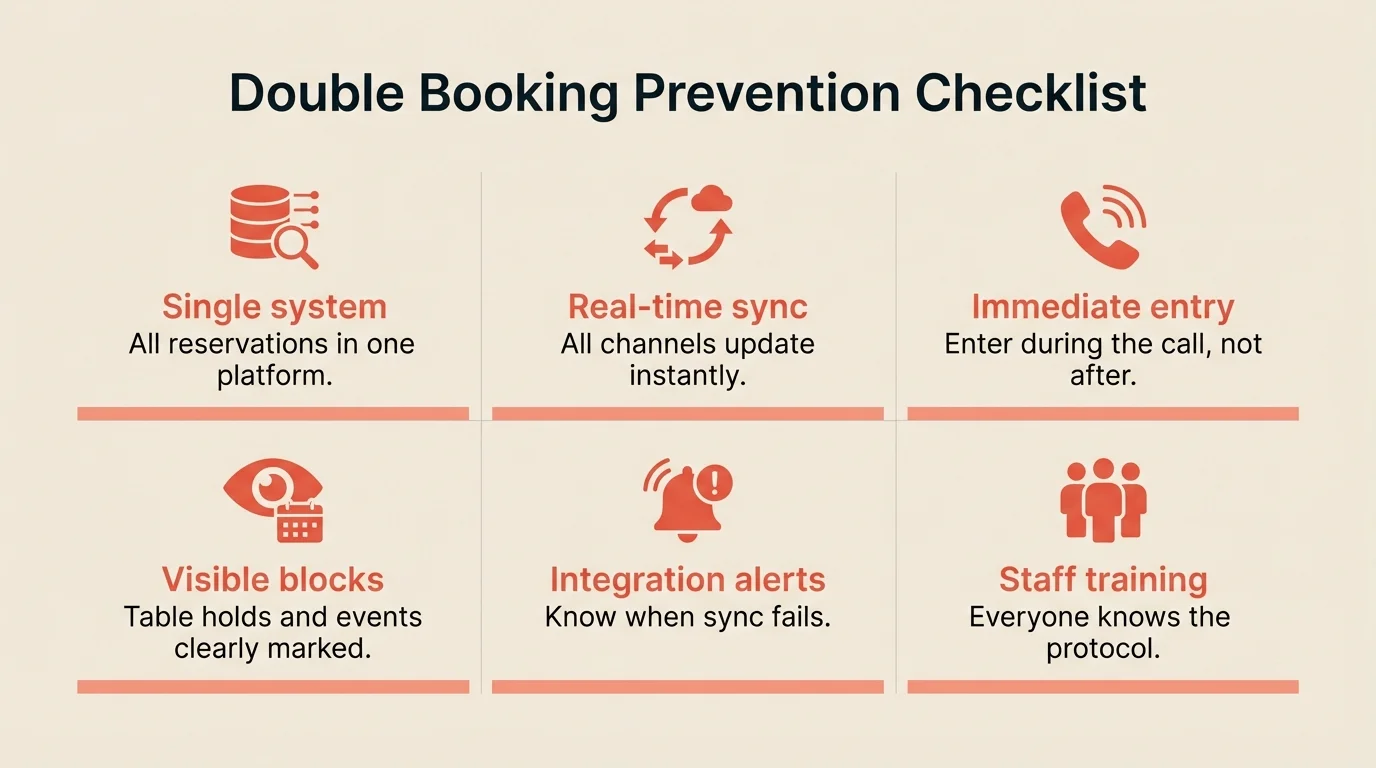
Double bookings are preventable. The solution is systemic: one source of truth, real-time sync, immediate entry, and trained staff. Most restaurants that struggle with double bookings are running fragmented systems, separate tools for different channels that don’t communicate.
Consolidate your reservation management this week. Map every channel that takes bookings. Ensure they all update a single master system in real-time. Train your team on the entry protocol. Test your integrations regularly.
The restaurants that never have double bookings aren’t luckier. They’ve built systems that make them impossible.
Related guides: How to choose a booking system | How to reduce no-shows | Capacity planning