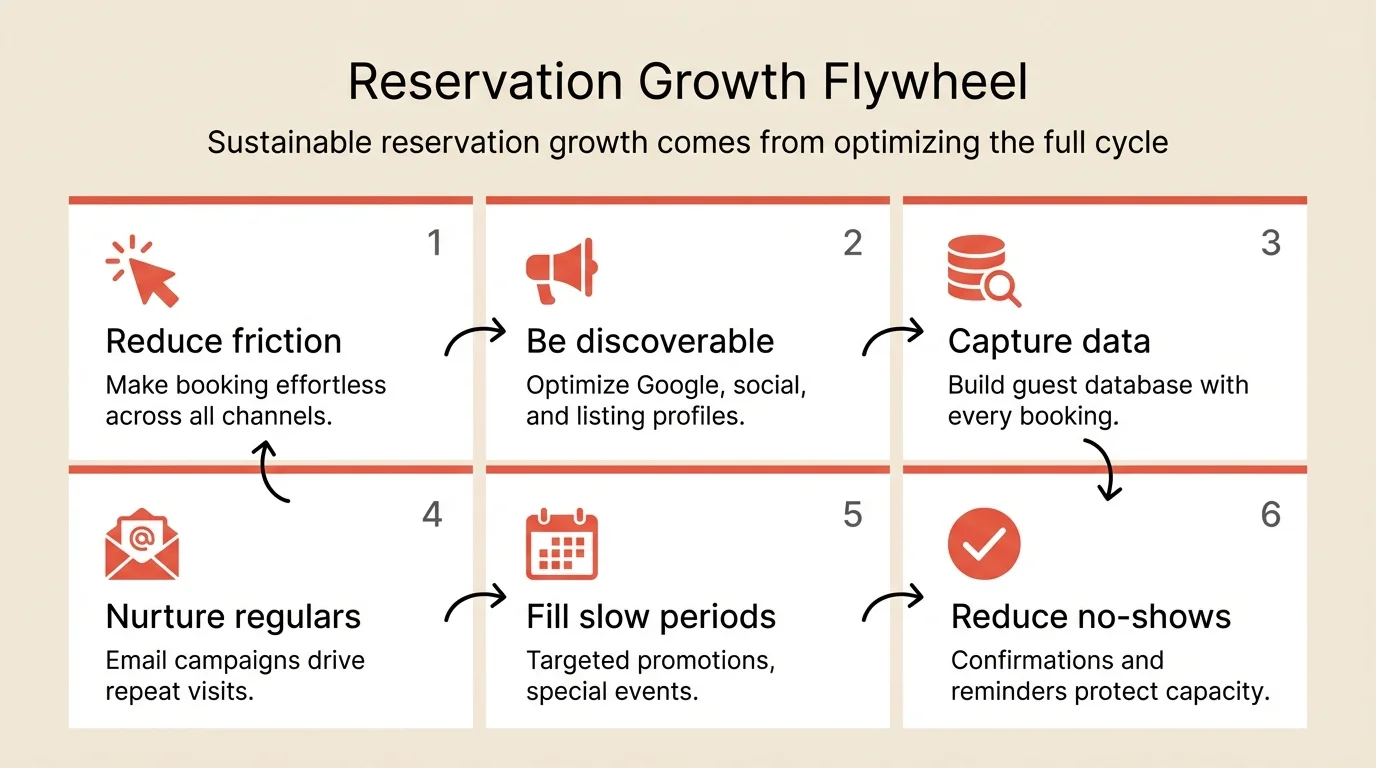
To get more reservations, you need to make booking effortless and be visible where guests are looking. Most restaurants focus on finding new guests while ignoring the 40%+ of potential bookings lost to friction in their own booking process.
Empty tables during service mean lost revenue you can never recover. Every night you run below capacity represents money that doesn’t come back. Increasing reservations isn’t just about marketing. It’s about making it effortlessly easy for people who already want to dine with you to actually book a table.
Key takeaways
- Main solution: Optimize booking flow + maximize channel visibility + nurture guest database
- Expected result: 20-40% increase in reservations from existing traffic
- Time to implement: 2-4 hours for quick wins, ongoing optimization
- Cost: Free to low cost (process improvements)
Before you start
Understand where your reservations currently come from before trying to get more.
What you’ll need:
- Access to your website analytics
- Your reservation system’s source reporting
- Your Google Business Profile
- Your guest database (email list)
Know your baseline: Track for one week:
- Total reservations by source (website, phone, platforms, walk-in requests)
- Website traffic to booking page vs. completed bookings
- No-show rate by channel
If your conversion rate is under 30%, you’re losing guests to friction. Fix that before investing in more traffic.
Step 1: Audit your booking flow
Before spending money on marketing, fix your booking process. Every friction point costs you completed reservations.
What to do:
- Book a table at your own restaurant on your phone
- Time the process and count the clicks
- Note every moment of confusion or hesitation
- Fix the obvious problems immediately
Common friction points:
- Booking widget buried at the bottom of the page
- Too many required fields
- Mandatory account creation
- Slow or broken mobile experience
- Unclear availability display
- Confirmation process that feels uncertain
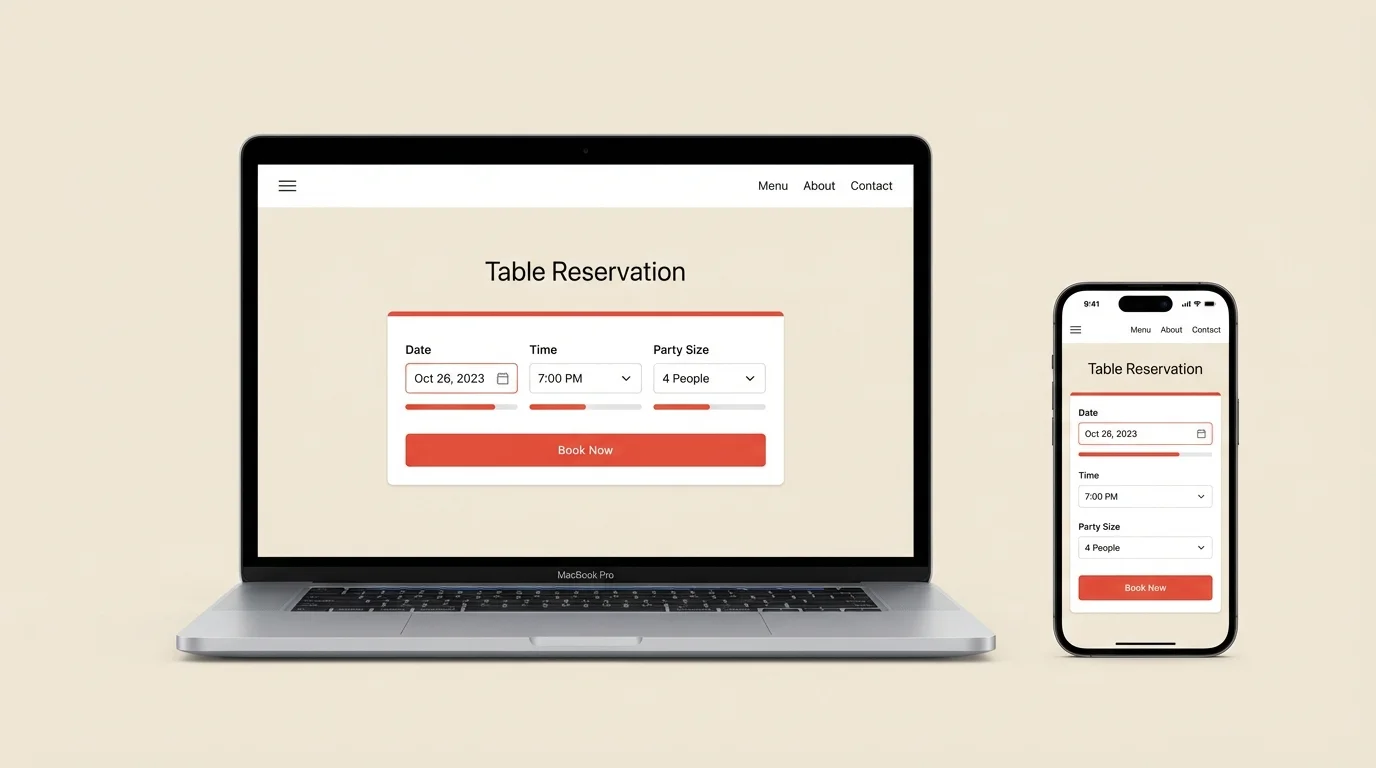
The three-click test: A guest should go from “I want to book” to “Booking confirmed” in three clicks or less:
- Select date and party size
- Choose available time
- Enter contact info and confirm
If your process takes more than three clicks, you’re losing bookings.
Step 2: Optimize your website
Your website is your highest-intent channel. People are specifically looking to book with you.
What to do:
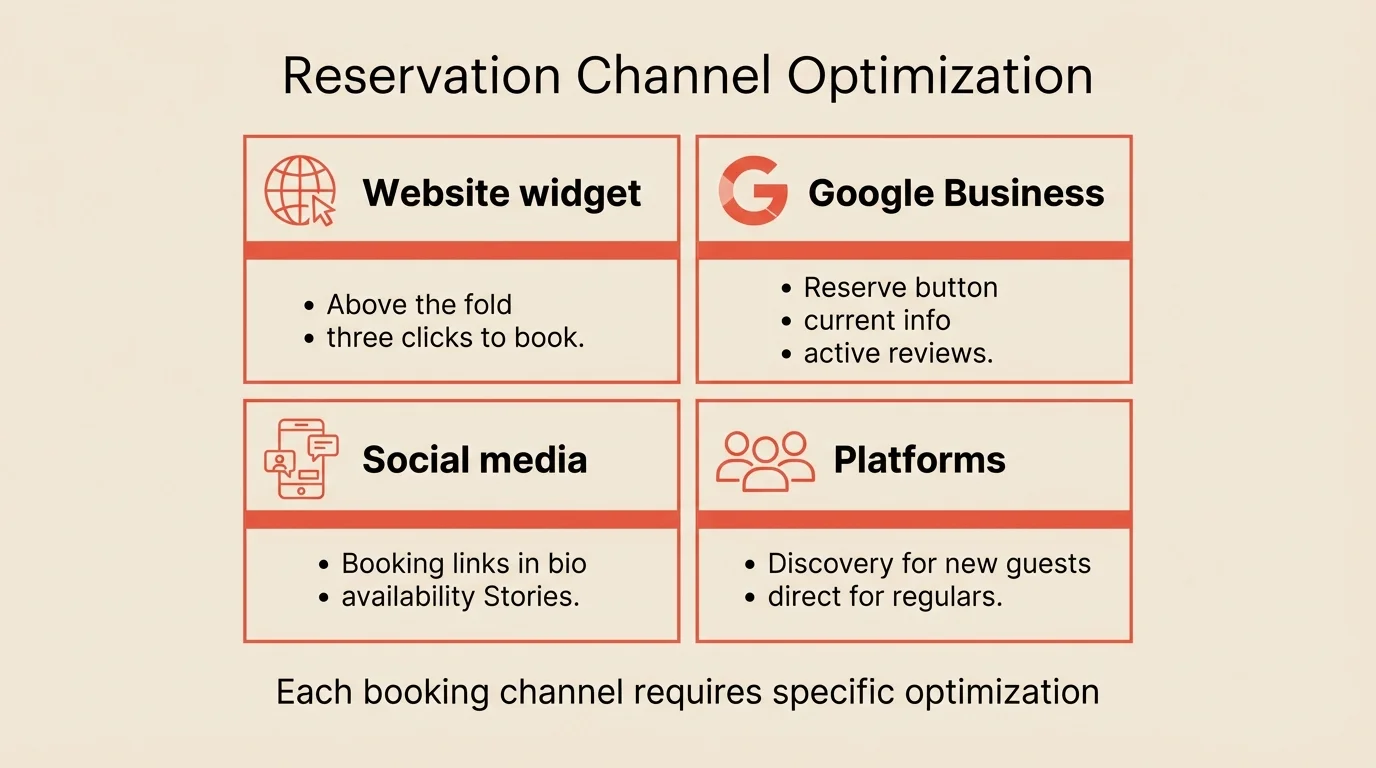
- Put the booking widget above the fold on every page
- Use clear call-to-action language
- Show real-time availability
- Test on mobile (over 60% of restaurant searches happen on phones)
Widget placement: The booking button should be visible without scrolling on:
- Homepage
- Menu page
- Contact page
- Every page if possible
Call-to-action language: “Reserve a Table” outperforms “Book Now” or “Contact Us.” Be specific about what clicking will accomplish.
Mobile optimization: Test your booking flow on multiple phones. Common mobile issues:
- Text too small to read
- Buttons too close together
- Calendar picker that doesn’t work
- Page loads slowly on cellular
Step 3: Maximize Google Business Profile
When someone searches “restaurants near me” or your restaurant name, your Google profile is often the first thing they see.
What to do:
- Claim and verify your profile if you haven’t
- Enable Reserve with Google if available
- Keep information current and complete
- Respond to every review
- Post updates regularly
Profile optimization checklist:
- Correct address, phone, hours
- High-quality photos (update weekly)
- Menu link
- Reservation button
- Description with relevant keywords
- All applicable categories selected
Review management: Respond to every review, positive and negative. Engaged profiles rank higher in search and convert better.
Posting strategy: Post 2-3 times per week:
- New menu items
- Special events
- Behind-the-scenes content
- Seasonal offerings
Step 4: Drive repeat reservations
Acquiring a new guest costs 5-7x more than retaining an existing one. Your guest database is your most valuable marketing asset.
What to do:
- Build your email list from every reservation
- Send post-visit follow-ups with booking links
- Create targeted campaigns for slow periods
- Recognize and reward returning guests
Email marketing basics:
- Post-visit thank you with “book again” link
- Weekly or bi-weekly newsletter with specials
- Targeted campaigns for slow periods
- Birthday and anniversary offers
Keep emails short, focused, and always include a direct booking link.
Guest recognition: When guests feel known, they book again:
- Note preferences in your system (favorite table, dietary needs)
- Train hosts to recognize returning guests
- Small gestures matter (remembering a name, preferred drink)
Step 5: Fill slow periods strategically
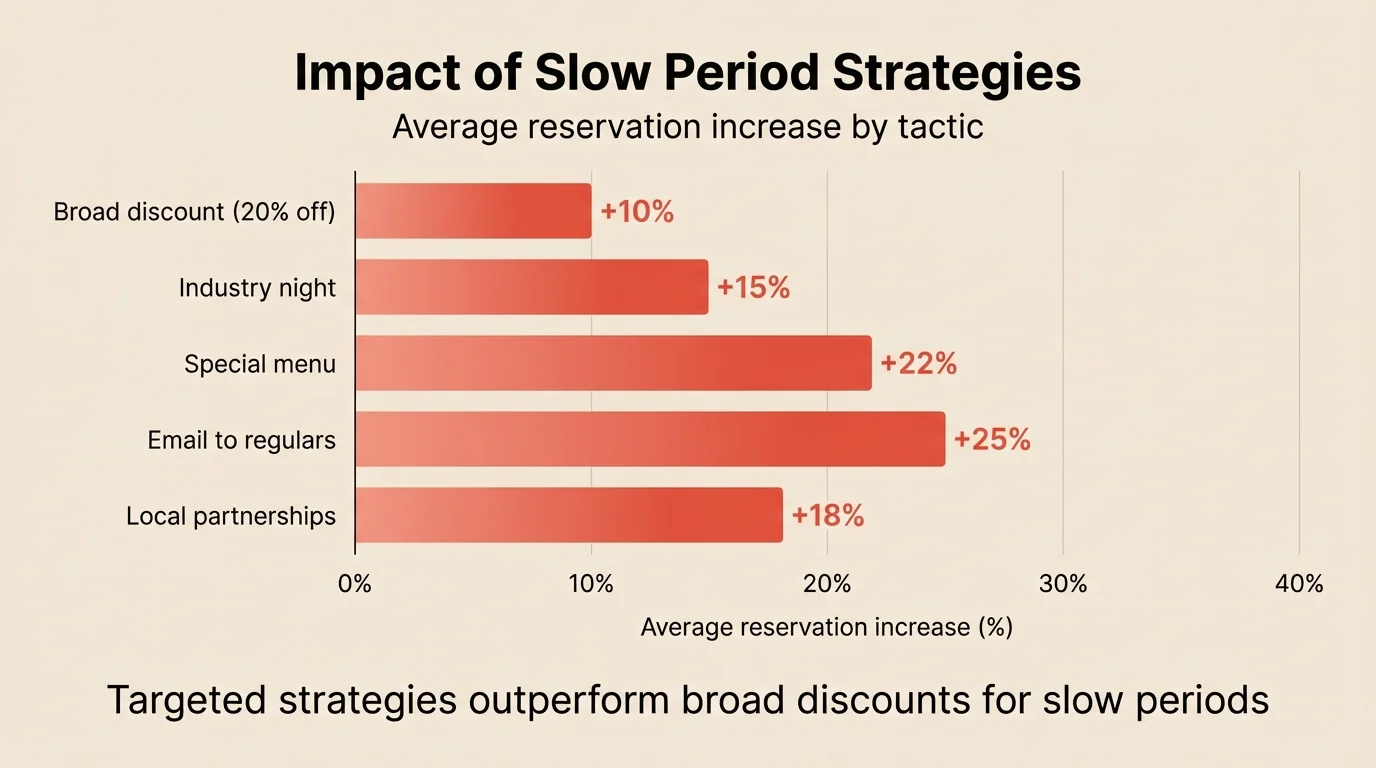
Don’t discount broadly. Target strategically.
What to do:
- Identify your consistently slow periods
- Create specific reasons to visit during those times
- Target the right audience for each promotion
- Track results and adjust
Create reasons to visit:
- Industry night on Mondays (hospitality worker specials)
- Wine dinner series on Wednesdays
- Chef’s tasting menu Tuesday-Thursday only
- Early bird prix fixe before 6pm
Make the slow period itself attractive rather than just cheap.
Target the right audience:
- Email guests who’ve dined on weekends but not weekdays
- Partner with local offices for weeknight team dinners
- Reach out to hotels for their midweek guests
Adjust capacity, not just pricing: If Tuesday runs at 40% capacity, consider:
- Closing one section (lower labor cost)
- Opening with reduced menu (lower prep cost)
- Making Tuesday reservation-only (better prediction)
Step 6: Reduce no-shows to maximize capacity
Every no-show is a reservation you thought you had. Reducing no-show rate effectively increases your reservations without additional marketing.
What to do:
- Send confirmation immediately upon booking
- Send reminder 48 hours before
- Send final reminder 24 hours before with easy cancel option
- Implement deposits for high-risk bookings
Confirmation and reminders: Automated reminders reduce no-shows by 30-50%. Make sure your system sends:
- Immediate confirmation with details
- 48-hour confirmation request
- 24-hour reminder with one-click cancel
Easy cancellation: One-click cancellation in every reminder. Guests who can’t easily cancel often just no-show.
Strategic deposits: For large parties and peak times. A credit card hold or deposit reduces no-shows to near-zero for those bookings.
For more on reducing no-shows, see how to reduce no-shows.
Step 7: Track what’s working
Measure reservation sources to invest wisely.
What to do:
- Track reservations by source weekly
- Calculate conversion rate by channel
- Measure cost per reservation for paid sources
- Double down on high performers
Metrics to track:
| Metric | What to track | Why it matters |
|---|---|---|
| Reservations by source | Website, Google, platforms, phone | Know where bookings come from |
| Conversion by channel | Visitors to completed bookings | Identify friction points |
| Cost per reservation | Total channel cost / bookings | Evaluate paid channels |
| Slow period fill rate | Actual covers / capacity | Measure promotion effectiveness |
Act on the data:
- Double down on high-performing channels
- Fix or abandon low performers
- Test changes and measure impact
Common mistakes to avoid
Marketing before fixing friction
Driving more traffic to a broken booking process just increases abandoned bookings. Fix your flow first.
Relying on a single channel
If all your bookings come from one platform, you’re vulnerable to their policy changes and fees. Diversify your sources.
Ignoring your existing guests
It’s cheaper to get a past guest to return than to acquire a new one. Nurture your database.
Discounting instead of differentiating
Broad discounts attract price-sensitive guests and train regulars to wait for deals. Create value instead of cutting prices.
Not tracking source data
Without attribution, you can’t know what’s working. Set up tracking before investing in any channel.
How to measure success
Track these metrics weekly:
| Metric | Before (example) | Target | How to track |
|---|---|---|---|
| Booking conversion | 18-22% | 30%+ | Page visits to completed bookings |
| Reservations by source | 55% website, 25% platforms, 20% other | - | Reservation system reporting |
| Repeat guest rate | 15-20% | 30%+ | Returning vs. new guests |
| Slow period fill rate | 40-50% | +25% | Actual vs. capacity |
Tools that help
Modern reservation systems support reservation growth with built-in features.
Website widget embeds on your site with real-time availability and minimal friction.
Google Reserve integration lets guests book directly from search results.
Guest database captures contact info automatically and tracks visit history.
Email marketing integration or export lets you run targeted campaigns to drive repeat visits.
Analytics show reservation sources, conversion rates, and trends so you can optimize.
If your system doesn’t support these capabilities, Resos includes all of them with no per-cover fees.
Frequently Asked Questions
What's the best way to get more restaurant reservations?
Should I use third-party reservation platforms?
How do I get more reservations on slow nights?
Does Google Business Profile affect restaurant reservations?
What's the ideal booking experience for guests?
The bottom line
More reservations start with making booking easier, not with finding more people. Fix your booking experience first. Audit your website, optimize your Google profile, and make sure the path from intent to confirmed booking is frictionless.
Then invest in your guest database. Past guests who had a good experience are your highest-value marketing channel. Email them, recognize them, give them reasons to return.
The restaurants that master both consistently fill their tables.
Related guides: How to choose a booking system | How to reduce no-shows | Capacity planning